In the vast and ever-evolving universe of Roblox, social interaction is key, and knowing how to dance on PC is a fantastic way to express yourself and connect with other players. This comprehensive guide will walk you through everything you need to know about activating and utilizing dance emotes seamlessly within Roblox on your desktop or laptop. Whether you are a seasoned gamer looking to refine your in-game persona or a parent helping your child navigate the social dynamics of this popular platform, understanding dance commands is essential. Discover how to quickly access the emote menu, use simple chat commands, find both free and premium animations, and troubleshoot common issues. Elevate your Roblox experience by mastering the art of in-game movement, turning casual play into memorable social moments. Join millions of players who use emotes daily to bring their virtual characters to life and make new friends. This informational resource ensures you stay current with the best ways to groove in any Roblox game.
How do you do basic dances in Roblox on a computer?
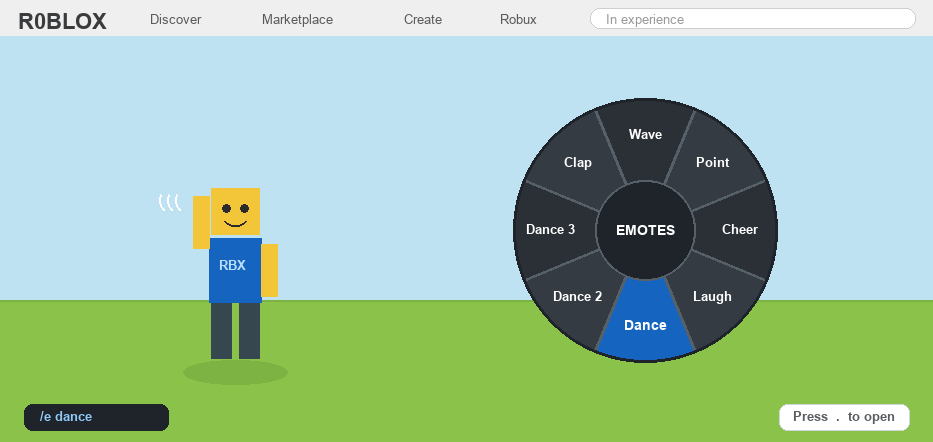
To do basic dances in Roblox on a computer, open the chat by pressing the forward slash (/) key. Then, type one of the default dance commands such as /e dance, /e dance2, or /e dance3, and press Enter. Your avatar will start performing the corresponding dance animation. This is the simplest way to quickly get your character grooving in most Roblox games.
Where can I find new dance moves for my Roblox avatar?
You can find new dance moves for your Roblox avatar in the Roblox Avatar Shop. Navigate to the shop, filter by Animations, and then select Emotes. Here, you'll discover a wide selection of dances, both free and those requiring Robux. After purchasing or acquiring them, equip them to your Avatar's Emote Wheel in the Avatar editor.
Are there any free dance emotes in Roblox for PC players?
Yes, there are several free dance emotes available for Roblox PC players. You can find them in the Avatar Shop by searching for Emotes and filtering the price from low to high (0 Robux). These free options allow players to express themselves and participate in social activities without any in-game currency.
What are the chat commands to dance in Roblox?
The primary chat commands to dance in Roblox begin with /e (for emote). Common commands include /e dance, /e dance2, /e dance3, and /e cheer. Many other emotes have specific names that also work with the /e prefix, such as /e wave or /e point. These commands are entered into the chat window to activate animations.
Why isn't my character dancing when I type the command?
If your character isn't dancing, several factors could be at play. Ensure you've typed the command correctly (e.g., /e dance). Some games might disable emotes, or you might be experiencing network lag. Also, for purchased emotes, ensure they are equipped to your avatar's emote wheel. Restarting the Roblox client can often resolve temporary glitches.
How do I activate a dance emote using the chat on Roblox PC?
Activating a dance emote via chat on Roblox PC is simple and quick. First, press the forward slash (/) key on your keyboard to open the chat window. Then, type "/e" followed by the specific emote name, like "/e dance", "/e dance2", or "/e dance3" for the default moves. Press Enter, and your avatar will immediately perform the chosen dance. This method is incredibly efficient for expressing yourself in busy games, allowing you to react spontaneously without navigating through menus.
What is the Roblox Emote Wheel and how do I use it on PC?
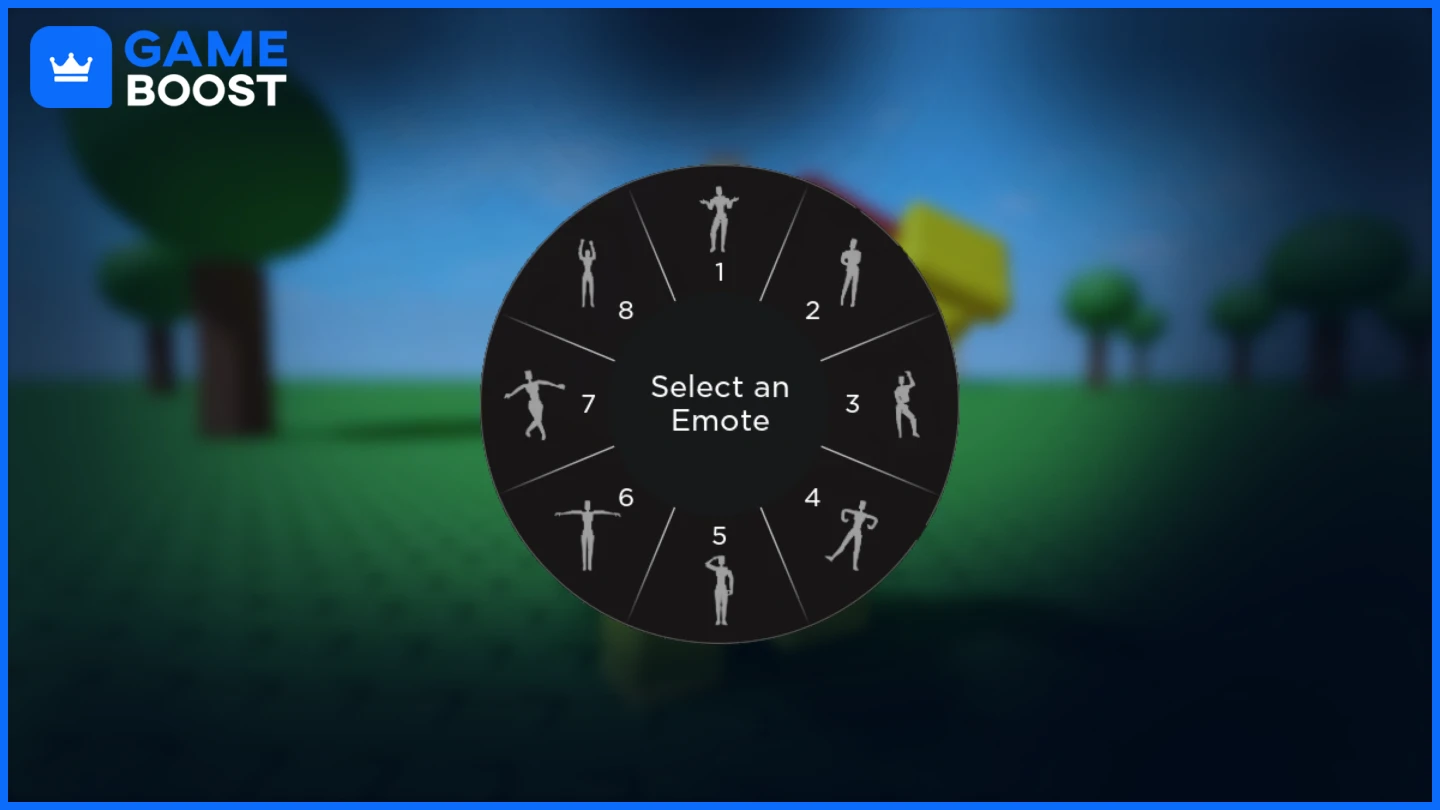
The Roblox Emote Wheel is a graphical menu that provides quick access to your equipped emotes, including dances. On PC, you can typically open the Emote Wheel by pressing the 'B' key. Once open, a circular menu appears displaying your selected emotes. Simply click on the dance you wish to perform, and your avatar will execute the move. This is an intuitive way to manage and use multiple dances, especially for players who have customized their emote collection.
Where do I buy or get new dance emotes for Roblox on my computer?
To expand your dance repertoire, you can acquire new emotes through the Roblox Avatar Shop. From the Roblox website or client, navigate to "Avatar Shop" and search for "Emotes." Here, you'll find a variety of dances, some available for free, others purchasable with Robux. After acquiring them, go to your Avatar editor, select the "Emotes" tab, and drag your new dances into the Emote Wheel slots to equip them for in-game use.
Can I use custom dance animations created by other players in Roblox?
Generally, you cannot directly use custom dance animations created by individual players outside of the Roblox Avatar Shop. However, game developers within Roblox Studio can create and implement their own unique animations into their specific experiences. If you play a game where unique dances are available, they are typically part of that game's design and accessible within its context, not as universal emotes you carry between games.
Are there specific dance parties or clubs in Roblox where dancing is a main activity?
Absolutely! Roblox hosts numerous experiences designed specifically around social interaction and dancing. Popular choices include games like "Dance Off," "Club Roblox," or various "Hangout" and "Roleplay" experiences where players frequently organize impromptu dance parties. These games often feature music, dedicated dance floors, and encourage players to show off their best moves, making them perfect venues to practice and enjoy your dance emotes with others.
What if my dance emote is interrupted or I want to stop dancing mid-move?
If your dance emote is interrupted, it might be due to movement, jumping, or the game environment. To explicitly stop dancing, you can often type the same dance command again (e.g., "/e dance") which toggles it off. Alternatively, pressing the 'Esc' key to open the main menu and closing it can sometimes reset animations. Simply moving your character with WASD or jumping will also typically break the dance loop, giving you immediate control back.
How can I practice or preview my Roblox dances before using them publicly?
You can preview your Roblox dances directly in the Avatar editor. When you're in the "Emotes" section of your avatar customization, you can click on any emote you own to see your avatar perform it in the preview window. This allows you to see how each dance looks and feels before using it in a live game. It's a great way to decide which dances you want to equip to your Emote Wheel and ensure they match your style.
Ever found yourself in a bustling Roblox experience, watching other players busting out cool moves, and wondered, How do I dance in Roblox PC? You're not alone. For many US gamers, particularly those balancing demanding careers and family life with their passion for gaming, quick, intuitive interactions are key to enjoying their limited free time. Roblox isn't just about building and playing; it's a vibrant social hub where expressing yourself, making friends, and simply having fun are paramount. The average US gamer, often around 36 years old, dedicates over 10 hours a week to gaming, with social connectivity being a huge draw. As 87% of gamers regularly engage with their favorite titles, seamless interaction like dancing elevates the experience from a simple game to a dynamic social gathering.
This month, with new social hangout games trending, mastering basic movements like dancing has become more important than ever. Whether you want to celebrate a win, join a flash mob in a virtual concert, or just show off a unique emote you’ve discovered, knowing the quick steps to dance in Roblox PC is a game-changer. Forget fumbling through menus or wondering if you need special items. This guide is designed to cut through the noise, providing clear, actionable steps for PC players to effortlessly perform dance emotes. We'll cover everything from simple chat commands to customizing your emote wheel and even finding those elusive free dance moves. Get ready to turn your Roblox avatar into the life of the party, enhancing your social play and making every session more engaging without adding extra complexity to your already busy schedule.
How Do You Dance In Roblox PC Using Basic Commands?
Dancing in Roblox on PC is incredibly straightforward, primarily using chat commands. This method is the quickest way to get your avatar grooving without diving into complex menus. To initiate a dance, simply open your chat window by pressing the forward slash key (/) on your keyboard. Once the chat is open, type a dance command, which usually starts with /e followed by the emote's name. The most common default dance commands are /e dance, /e dance2, and /e dance3. After typing one, press Enter, and watch your avatar come to life with a pre-programmed dance animation. These commands are universally available across most Roblox experiences, making them a go-to for instant expression. For gamers who enjoy quick interactions during short play sessions, these commands offer immediate gratification, allowing you to participate in social events or simply celebrate without interruption.
Where Can You Find And Equip New Dance Emotes On Roblox PC?
Beyond the basic chat commands, Roblox offers a vast library of emotes and dances that you can acquire and equip to customize your avatar's movements. To find new emotes, navigate to the Roblox Avatar Shop (formerly Catalog) from your web browser or the Roblox PC client. In the Avatar Shop, look for the Animations category, and then specifically Emotes. Here, you'll find a wide range of dance animations, some free, others requiring Robux. Once you've purchased or acquired an emote, it will appear in your inventory. To equip it, go to your Avatar editor, select the Emotes tab, and drag your desired dances into your Emote Wheel slots. This personalization allows you to curate your collection of moves, reflecting your unique style and current gaming trends, ensuring your avatar always looks its best. Customizing your emote wheel for quick access means less time searching and more time dancing, perfect for adult gamers who value efficient play.
Are There Free Dance Emotes Available For Roblox PC Players?
Absolutely, yes! Roblox generously provides several free dance emotes that PC players can acquire without spending any Robux. These free emotes are perfect for new players or those looking to expand their dance repertoire on a budget. To find them, head to the Avatar Shop and filter your search by Price (Low to High) or specifically look for items priced at 0 Robux. Popular free dances include some of the basic /e dance variations, but also others that are occasionally offered during events or promotions. Always keep an eye on official Roblox announcements or popular community hubs for limited-time free items. Utilizing free emotes is a smart way to enhance your social interactions and express yourself without financial commitment, aligning with the budget-conscious approach many adult gamers adopt while still staying current with in-game trends.
How Do You Customize Your Emote Wheel For Quick Access In Roblox?
The Emote Wheel is a fantastic feature for PC players, allowing rapid access to your favorite dance moves and other expressions. To customize it, first ensure you have some emotes in your inventory. Then, open the Roblox client and go to your Avatar editor. On the left side, you'll see various categories; click on Emotes. Here, you'll see your equipped emotes in a wheel layout, and below it, a list of all emotes you own. To add a new dance, simply drag it from your inventory list into an empty slot on the Emote Wheel. You can also reorder existing emotes by dragging them to different slots. Having your most-used dances on the wheel means you can trigger them instantly during gameplay by pressing 'B' (the default hotkey for the emote wheel) and clicking on your desired move. This seamless access is vital for quick social responses, which is a major draw for the 87% of US gamers who regularly engage in multiplayer experiences.
What Are Some Popular Roblox Games Where Dancing Is Common?
Dancing is a universal language in Roblox, but certain experiences truly shine as hotspots for emote enthusiasts. Games like Adopt Me! Brookhaven RP, Royale High, and Club Roblox are renowned for their social focus, where players frequently use dances to interact, express joy, or participate in roleplaying scenarios. In Adopt Me! you might see players dancing while showing off their pets, while in Brookhaven RP, dances are integral to creating engaging narratives in virtual parties or hangouts. Even in more objective-based games, celebrating a victory or commiserating a loss with a quick dance can add to the fun. The trend of social and cozy games remains strong, providing perfect stages for your avatar to strut its stuff. Staying current with these popular titles ensures you have ample opportunities to put your dance skills to good use and connect with a broad community of players.
How Can Dancing Enhance Your Social Experience In Roblox?
Dancing in Roblox goes far beyond just moving your character; it's a powerful tool for social interaction and community building. In a virtual world, gestures and movements can convey emotions and intentions where words might fall short. A well-timed dance can break the ice, show agreement, celebrate shared successes, or even initiate friendships. It creates a sense of camaraderie, especially when multiple players synchronize their moves in a spontaneous dance-off. For adult gamers who use Roblox as a way to unwind and connect after a long day, these non-verbal cues are invaluable. It fosters a more immersive and interactive environment, turning passive observation into active participation. As social gaming continues its dominance, especially with cross-play trends across mobile and PC, expressive actions like dancing make every interaction more memorable and enjoyable, truly reflecting the desire for social play among gamers.
Troubleshooting: Why Isn't My Dance Command Working In Roblox PC?
Even with simple commands, you might occasionally encounter an issue where your dance emote isn't activating in Roblox on PC. Here are a few common reasons and quick fixes: First, ensure you are using the correct chat command, starting with /e followed by the exact emote name (e.g., /e dance, not /e DANCE). Chat commands are usually case-sensitive for custom emotes. Second, verify that the game experience you're in allows emotes; some specific game modes might disable them for gameplay reasons. Third, check your internet connection; a laggy connection can sometimes delay or prevent commands from registering. Lastly, make sure you actually own the emote if it's not a default one; purchased emotes need to be equipped via the Avatar editor before they can be used. A quick restart of the Roblox client often resolves minor glitches, ensuring your dance moves are always ready to go.
Beyond Basic: How To Find Unique And Trending Dance Animations In Roblox?
Once you've mastered the basics, you'll likely want to discover more unique and trending dance animations to truly stand out. The Roblox Avatar Shop is your primary destination for this. Beyond filtering by price, explore the Emotes section regularly for new releases. Look out for Bundles or Collections that often include themed dance sets. Many popular YouTubers and Roblox content creators also showcase new and cool emotes, so following your favorite creators can keep you informed about trending animations. Additionally, some Roblox experiences offer exclusive emotes as rewards for completing quests or participating in events. Keep an eye on community forums and official Roblox news for announcements on new items or limited-time offerings. Staying updated ensures your avatar always has the freshest moves, reflecting current trends and allowing you to express yourself dynamically within the game, a key aspect for gamers who enjoy personalized experiences and staying current without succumbing to hype.
Mastering how to dance in Roblox PC is more than just learning a few commands; it's about unlocking a richer, more expressive, and deeply social dimension of the platform. For the busy adult gamer, efficiency and fun are paramount, and quick emotes offer both. From simple chat commands like /e dance to curating a personalized emote wheel with free and Robux-purchased animations, you now have all the tools to groove your way through any Roblox experience. It enhances connections, adds flair to your avatar, and makes every gaming session a little more vibrant. So go ahead, open up Roblox, pick your favorite game, and let your avatar dance its way into memorable virtual interactions. The world of Roblox is waiting for your moves!
What's your favorite Roblox dance, or your biggest gaming challenge when it comes to social play? Comment below and share your thoughts!
How do I stop dancing in Roblox PC?
To stop dancing in Roblox on PC, simply type the same dance command again (e.g., /e dance) or press the 'B' key to open your emote wheel and select a different emote, or simply press the 'Esc' key to open the Roblox menu and close it, which usually resets the animation. Moving your character or jumping can also sometimes interrupt a loop.
Can I make my own dances in Roblox?
While you cannot create your own custom dance animations directly within the Roblox client for general use, experienced developers can create custom animations for their specific games using Roblox Studio. These custom animations can then be implemented into their experiences for players to use within that particular game. For the average player, the focus is on utilizing emotes available in the Avatar Shop.
Are Roblox dances cross-platform?
Yes, most Roblox dances and emotes are cross-platform. Once you've acquired and equipped an emote to your avatar, it will be available for you to use whether you're playing on PC, mobile, Xbox, or other supported devices, assuming the specific game experience allows emotes. Your avatar inventory and equipped items sync across all platforms linked to your Roblox account.
What are the best dance emotes for Roblox roleplay?
The best dance emotes for roleplay often depend on the specific roleplay scenario and your character's personality. Versatile options include Dance Off, Cartwheel, Breakdance, or any of the default /e dance variations for general celebratory or social interactions. For more dramatic or silly moments, look for emotes that convey specific emotions or actions. Explore the Avatar Shop and preview emotes to find ones that fit your roleplaying style.
Do I need Robux to get good dances?
No, you do not need Robux to get good dances. While many premium and unique emotes are available for Robux, Roblox offers several excellent free dance emotes. Furthermore, the default /e dance commands are always available and are widely used. Good is subjective, and often the most fun comes from how you use the emotes to interact, not how much they cost. Many free options allow for great social expression.
Using chat commands like /e dance /e dance2 /e dance3. Accessing the Emote Menu for visual selection. Finding and equipping new dance emotes. Understanding the difference between free and Robux-purchased animations. Enhancing social interaction and community engagement. Troubleshooting common dance command issues on PC. Customizing your avatar with unique dance styles.
35

How To Move In Roblox On PC H Ng D N Chi Ti T . How To Dance In Roblox 2026 Commands Emote Wheel Guide YouTube . HOW TO DANCE IN ROBLOX Tutorial YouTube . How To Dance In Roblox Emotes Commands Guide 74214387 A42c 404e 9efe. Easy Dance Clip Tutorial ROBLOX YouTube
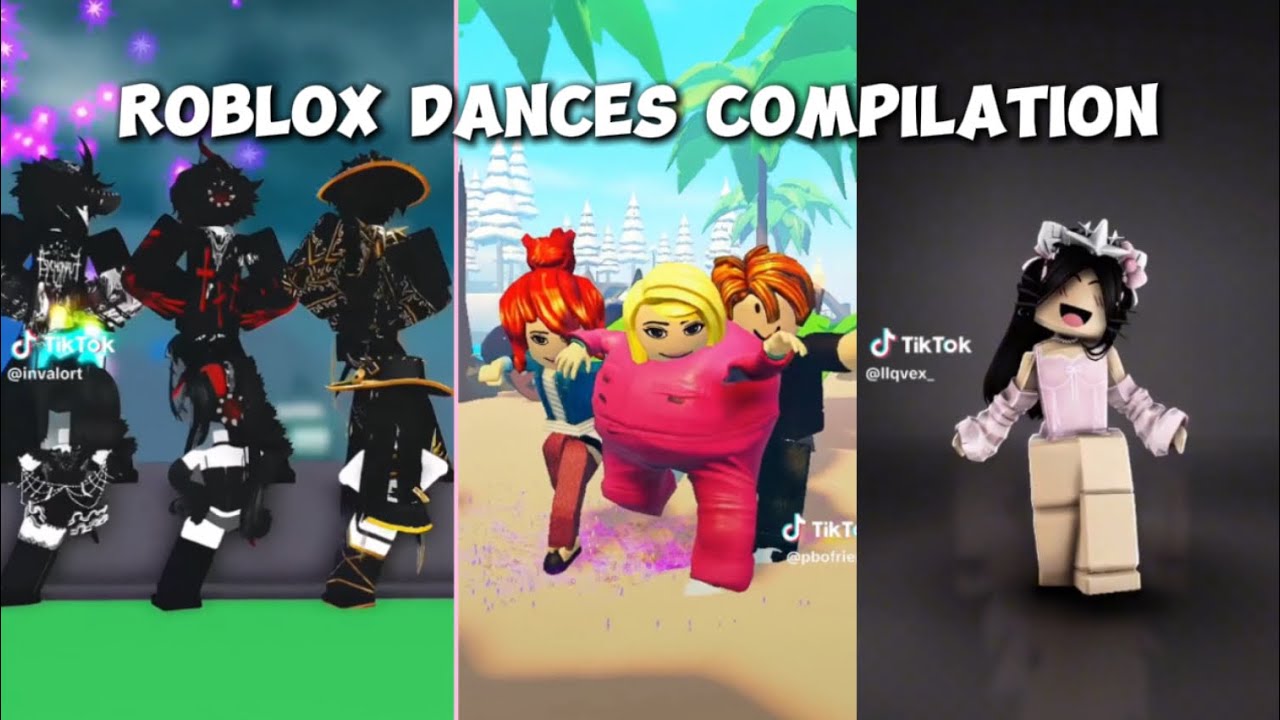


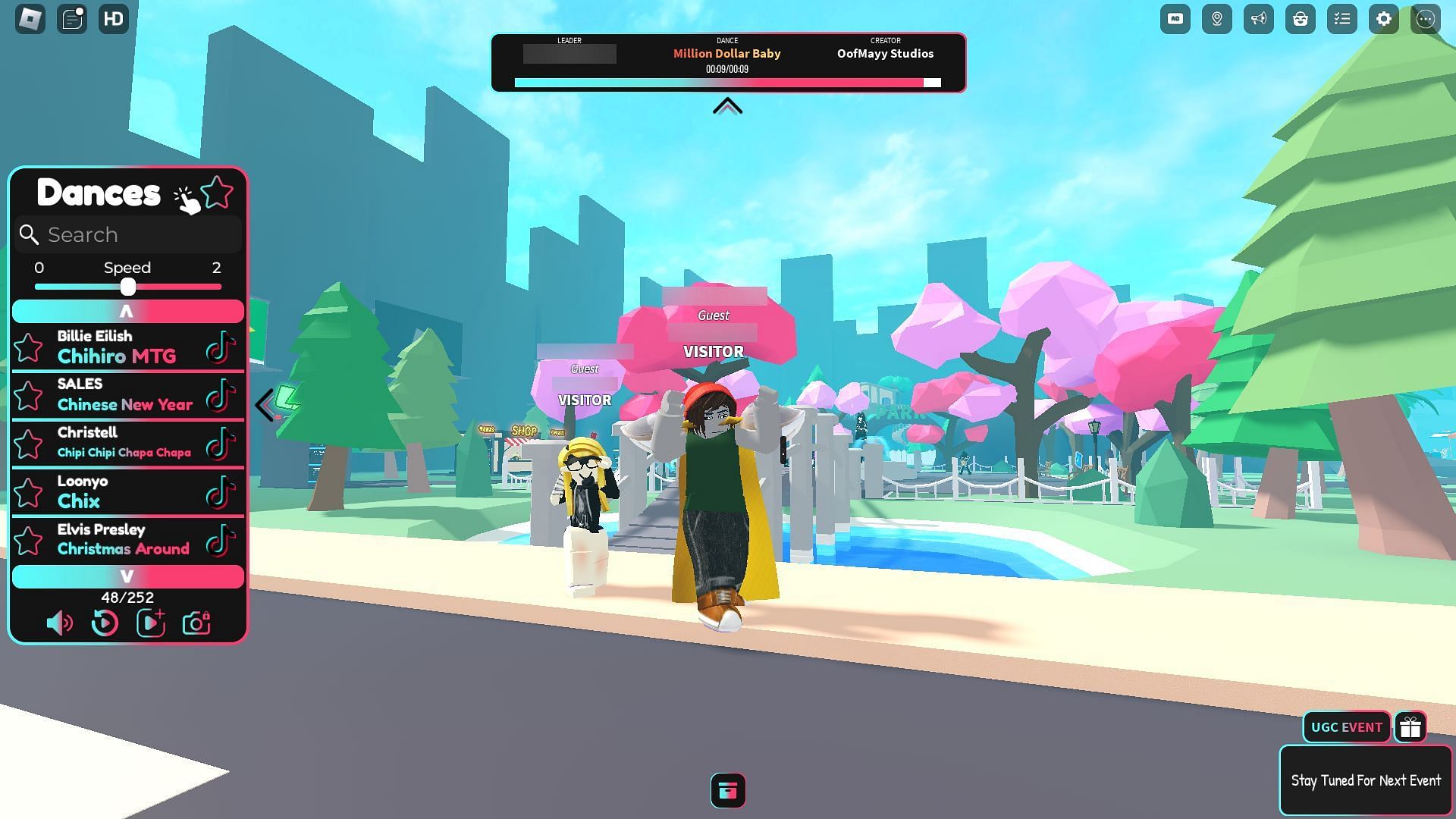
Roblox Dances Compilation Part 4 YouTube . How To Dance In Life Together Roblox How To Emote In Life Together . Doing Tiktok Dances In Roblox YouTube . How To Dance In Roblox Learn About Dance Commands Dance In Roblox.webp. Grooving In Roblox The Ultimate Dance Guide 9e923 1920


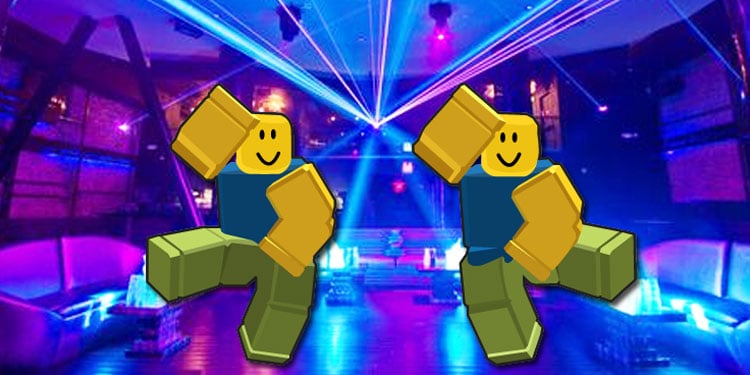

How To Make A Character Dance Roblox Studio YouTube . How To Dance Clip In Roblox Tutorial YouTube . How To Dance In Roblox How To Dance In Roblox . How To Dance In Tod Roblox Full Guide YouTube . Dance Your Heart Out The Best Roblox Dancing Games Roblox Dance Games.webp



How To Make Your NPC Dance In Roblox Studio YouTube . How To Dance In Roblox Emotes Commands Guide C3ac94fa 1790 4901 93ce Webp.webp. How To Dance On Roblox All You Need To Know About Emotes How To Dance In. How To Dance In Roblox Use E Dance2 To Do It YouTube . How To Dance Clip In Roblox YouTube




Get Your Groove On Roblox Dance Commands V4 460px Dance In ROBLOX Step 4 . How To Dance Clip In Roblox Wall Glitch YouTube . How To Dance In Roblox Emotes Commands Guide 73e2c8e4 Eb38 4fb5 8e4c. How To Make A DANCE PANEL In Roblox Studio YouTube . How To Walk Slow On PC In Roblox How To Dance In


How To Dance In Roblox This Is How You Can Show Your Moves Roblox How To Dance 300x169 . How To Dance In Roblox PC H Ng D N Chi Ti T C C Ki U Nh Y Th V . How To VC In Roblox PC H Ng D N Chi Ti T V Y . Want To Walk Slower In Roblox PC How Can You Do It . Want To Walk Slower In Roblox PC How Can You Do It


How To Dance In Roblox With Parental Control Tips How To Dance In Roblox . How To Emote In Roblox Wheel Commands Roblox Database Emote In Roblox . How To Dance And Laugh No Clip Roblox In R6 FREE YouTube . How To Make The Roblox Dance Trend STEP BY STEP YouTube . How To Message On Roblox 2026 A Quick Guide