Discover the ultimate guide to becoming a desktop computer builder Craft your ideal gaming rig from scratch and unlock unparalleled performance customization and value for money This comprehensive resource helps busy gamers navigate component selection assembly and optimization ensuring a setup that balances their passion for gaming with real world responsibilities Learn to troubleshoot common issues upgrade on a budget and stay ahead of trends without falling for hype Empower yourself to create a personalized gaming experience tailored to your specific needs and playstyle Enjoy superior performance and a sense of accomplishment by mastering the art of building your own desktop computer This guide covers everything from choosing the right CPU and GPU to managing cables and installing the operating system designed for the modern US gamer who values efficiency and quality
What is a Desktop Computer Builder?
A desktop computer builder is someone who assembles a personal computer from individual components rather than purchasing a pre-built system. This process allows for maximum customization, often resulting in better performance and value for money tailored to specific needs like gaming or professional work.
Why should gamers consider building their own desktop computer?
Gamers should consider building their own desktop computer for several key reasons: superior performance customization, better value for money by avoiding pre-built markups, and the satisfaction of creating a system perfectly suited to their gaming habits and budget. It also offers easier future upgrades and troubleshooting.
How much does it cost to build a high-performance gaming PC in 2026?
In 2026, a high-performance gaming PC capable of running the latest titles at 1440p or 4K resolution with high frame rates can range from 1500 to 2500 USD or more. This budget allows for top-tier CPUs, powerful GPUs like an RTX 4070 or RX 7800 XT equivalent, fast NVMe SSDs, and ample RAM.
What are the essential tools needed for a first-time desktop computer builder?
For a first-time desktop computer builder, essential tools include a Phillips head screwdriver (preferably magnetic), an anti-static wrist strap to protect components, zip ties or Velcro straps for cable management, and thermal paste (if not pre-applied to your CPU cooler). Online guides and compatibility checkers are also crucial resources.
How long does the desktop computer building process typically take?
For a first-time builder, the desktop computer building process typically takes 3 to 6 hours, including careful component installation, cable management, and initial setup. Experienced builders can complete the hardware assembly in 1-2 hours, with additional time for OS and driver installation.
What are the benefits of customizing a PC build over buying a pre-built one?
Customizing a PC build offers benefits like precise control over component quality and brand, optimization for specific tasks (e.g., streaming, competitive gaming), better thermal management due to informed case and cooler selection, and the ability to upgrade individual parts without replacing the entire system. This leads to a more efficient and longer-lasting machine.
Where can I find reliable resources and guides for desktop computer building?
Reliable resources for desktop computer building include reputable tech YouTube channels like JayzTwoCents or Gamers Nexus, dedicated hardware websites (e.g., Tom's Hardware, AnandTech), component compatibility checkers like PCPartPicker, and official manufacturer websites for manuals and drivers. Online forums and communities are also excellent for specific troubleshooting and advice.
Hey fellow gamers! Ever felt that frustrating pinch of a pre-built PC not quite hitting the mark? Maybe it is the price tag for components you do not need or the inability to truly customize it to your unique playstyle and busy life. For many of us, balancing a job, family, and a serious gaming habit means every minute and every dollar counts. You want relaxation, fun, and top-tier performance without the marketing hype. That is where becoming a desktop computer builder truly shines. You get to control your budget, optimize for the games you love – from the latest AAA titles to those cozy social indies – and build a machine that perfectly complements your schedule and ambitions. Forget the headaches of generic setups; let us dive into how you can become the ultimate desktop computer builder, crafting a powerful rig that enhances your gaming life, not complicates it. We will tackle common pain points like performance bottlenecks, smart upgrades, and how to make every gaming session count, all while building a machine you are genuinely proud of. As of this month, a whopping 87 percent of US gamers play regularly, often clocking 10+ hours a week, and many prefer PC for its versatility and competitive edge. Building your own desktop allows you to tap into this trend with precision.
Why Should I Consider Becoming a Desktop Computer Builder?
Becoming a desktop computer builder offers unparalleled benefits, especially for adult gamers who value efficiency and customization. First, you gain significant cost savings. By sourcing components yourself, you often avoid the markups associated with pre-built systems, allowing you to get more powerful hardware for your budget. Second, customization is key. You can choose every single part, tailoring your PC exactly to your gaming preferences, whether you prioritize ultra-high frame rates in competitive shooters like Valorant or stunning visuals in expansive RPGs like Baldur's Gate 3. This means no wasted money on unnecessary features and more power where it truly matters to you. Lastly, the learning experience is incredibly rewarding. Understanding how each component works together demystifies technology and empowers you to troubleshoot and upgrade your system with confidence.
What Components Do I Need to Build a Gaming PC and How Do I Choose Them?
Building a gaming PC requires several core components, and choosing them wisely is crucial for performance and budget balance. You will need a Central Processing Unit (CPU), Graphics Processing Unit (GPU), Motherboard, RAM (Random Access Memory), Storage (SSD or HDD), Power Supply Unit (PSU), and a PC Case. For gamers, the **GPU** is arguably the most critical component, directly impacting game performance and visual fidelity. Research current-gen cards like NVIDIA's RTX 40-series or AMD's RX 7000-series, considering your resolution and desired frame rate. Your **CPU** should complement your GPU without bottlenecking it; Intel Core i5/i7 or AMD Ryzen 5/7 series are popular choices. Ensure your **Motherboard** is compatible with your chosen CPU and offers enough slots for RAM and storage. Aim for at least 16GB of **RAM** (DDR4 or DDR5) for modern gaming. A fast **NVMe SSD** for your operating system and primary games is non-negotiable for quick loading times. Choose a **PSU** with enough wattage (plus some headroom) for your components and a good efficiency rating. Finally, select a **PC Case** that offers good airflow and fits all your parts comfortably.
How Can I Build a Gaming PC on a Budget Without Sacrificing Performance Too Much?
Building a powerful gaming PC on a budget involves smart component selection and looking for value. Instead of buying the absolute latest and greatest, consider components from the previous generation that still offer excellent performance-per-dollar. For example, an RTX 3060 or an RX 6700 XT can still deliver solid 1080p and even 1440p gaming experiences in 2026 without breaking the bank. Optimize your CPU choice to match your GPU; a higher-end CPU with a lower-end GPU often leads to an imbalanced system. Look for sales on major online retailers, especially during seasonal events. Do not skimp on the Power Supply Unit, as a cheap PSU can damage other components. Utilize faster, smaller NVMe SSDs for your main games and OS, pairing them with a larger, more affordable HDD for less frequently played titles and general storage. Remember, a balanced system is always better than one with an overpowered single component.
What are the Common Pain Points When Building a PC and How Do I Avoid Them?
Even seasoned builders encounter snags, but many common pain points can be avoided with careful planning. One frequent issue is **component incompatibility**. Always double-check your motherboard's socket type, RAM generation (DDR4 vs. DDR5), and CPU compatibility before purchasing. Using online PC builder tools can help verify this. Another pain point is **improper cable management**, which can hinder airflow and make future upgrades difficult. Plan your cable routes during assembly and use zip ties or Velcro straps. **Forgetting to install standoffs** for the motherboard can lead to short circuits, so ensure they are correctly placed. Finally, **improper driver installation** is a common post-build issue. After installing Windows, immediately download and install the latest graphics card drivers from NVIDIA or AMD's official websites, along with motherboard chipset drivers.
How Do I Optimize My Custom-Built PC for Gaming Performance and Longevity?
Optimizing your custom-built PC involves software and hardware practices to ensure peak performance and extend its lifespan. On the software side, keep your operating system and all drivers, especially graphics drivers, updated. Regularly clean up unnecessary background applications and temporary files. In your game settings, adjust graphics options to balance visual quality with desired frame rates. For hardware, focus on **cooling**. Ensure your case has good airflow with properly placed intake and exhaust fans. Monitor CPU and GPU temperatures using software like HWMonitor. Consider thermal paste reapplication every few years. Keep your PC physically clean from dust by regularly using compressed air, paying attention to fans and heatsinks. Overclocking can boost performance but requires careful monitoring and adequate cooling to avoid instability or damage.
Are There Any Specific Tools or Resources a Desktop Computer Builder Needs?
While you do not need a vast toolkit, a few essentials make the desktop computer builder process smoother and safer. A good quality **Phillips head screwdriver** (magnetic tip is a bonus!) is your primary tool. **Zip ties or Velcro straps** are crucial for effective cable management. An **anti-static wrist strap** is highly recommended to protect sensitive components from static electricity discharge, especially if you live in a dry environment. You will also need **thermal paste** (often included with new CPU coolers, but having extra is wise). Software-wise, an **operating system installer** (usually a USB drive with Windows), a **USB drive for drivers**, and **monitoring software** like HWMonitor or MSI Afterburner are invaluable. Online resources like PCPartPicker for compatibility checks, YouTube build guides (e.g., JayzTwoCents or Gamers Nexus), and manufacturer websites for drivers are indispensable.
How Can I Balance My Gaming PC Building Hobby with Family and Work Life?
For gamers balancing adult responsibilities, building a PC is a rewarding project that needs thoughtful time management. Break down the build process into manageable, shorter sessions instead of trying to do it all at once. For example, dedicate one evening to researching components, another to ordering, and then specific weekends for assembly. Communicate your project with your family to set expectations and avoid conflicts. Involve older children if they show interest; it can be a great learning experience. Remember, gaming is a form of relaxation and connection, so do not let the build itself become a source of stress. The sense of accomplishment from building your own machine, which then becomes your escape, is well worth the effort. It is about creating a dedicated space and time for your passion within your life's framework.
What are the Latest Trends a Desktop Computer Builder Should Be Aware Of in 2026?
In 2026, several trends are shaping the desktop computer builder landscape. **AI integration** in hardware is growing, with CPUs and GPUs featuring dedicated AI accelerators for tasks beyond traditional gaming, potentially improving game performance or streaming quality. **Sustainable computing** is a rising focus, leading to more energy-efficient components and eco-friendly manufacturing processes. Consider component power consumption and efficiency ratings. **Modular and tool-less designs** are becoming more prevalent in cases and components, simplifying the building and upgrading process. We are also seeing a continued push for **cross-platform play** and **cloud gaming hybrid models**, meaning your powerful local PC can seamlessly integrate with these services. Keep an eye on new connectivity standards like **PCIe 6.0** and **USB4 v2**, which offer future-proofing for faster data transfer. The rise of social and cozy games, alongside competitive esports, means a versatile build that handles both graphical intensity and network stability is key.
Congratulations! You have taken the first step towards mastering your gaming destiny as a desktop computer builder. Building your own PC is more than just assembling parts; it is about empowerment, smart investment, and tailoring your escape exactly how you like it. From saving money to optimizing performance for your favorite titles and seamlessly fitting into your busy schedule, a custom-built rig offers benefits a pre-built machine rarely can. Remember the joy of playing on a machine you crafted yourself, knowing every component serves your purpose. It is about getting the most out of your valuable gaming time. What is your biggest gaming challenge with your current setup? Comment below!
FAQ Section
What is the average cost to build a decent gaming PC in 2026?
The average cost for a decent gaming PC in 2026 typically ranges from 800 to 1500 USD, depending on your performance targets and component choices. A budget-friendly 1080p setup can start around 800-1000 USD, while a robust 1440p or entry-level 4K build might be 1200-1500 USD or more, excluding peripherals.
How long does it take to build a desktop computer for the first time?
For a first-time desktop computer builder, assembling the PC can take anywhere from 3 to 6 hours. This includes careful reading of manuals, watching tutorials, and troubleshooting minor issues. Experienced builders can often complete the hardware assembly in 1-2 hours.
Is it hard to install the operating system on a new PC build?
No, installing the operating system, like Windows, on a new PC build is relatively straightforward. You typically create a bootable USB drive with the OS installer, plug it into your new PC, and follow the on-screen prompts. The process is largely automated.
Can I reuse old parts from my previous PC in a new build?
Yes, you can often reuse several old parts from a previous PC, such as the PC case, storage drives (HDDs, older SATA SSDs), and sometimes even the power supply unit, if they are still functional and compatible with your new components. RAM and GPUs are less commonly reusable due to generational changes.
What is the most common mistake first-time PC builders make?
One of the most common mistakes first-time PC builders make is not properly seating RAM modules or the graphics card, leading to the PC not booting up. Always apply firm, even pressure until you hear a click or feel it securely slot into place.
Do I need to update BIOS when I build a new PC?
You might need to update your motherboard's BIOS, especially if you are using a newer generation CPU with an older motherboard chipset that has been updated for compatibility. Check your motherboard's QVL (Qualified Vendor List) and CPU support page on the manufacturer's website for specific guidance.
DIY PC building saves money and offers custom performance. Understanding components is crucial for optimal gaming. Troubleshooting and upgrades are simpler with a custom build. Balancing gaming with life is easier with a tailored PC. Stay current with trends without overspending.
35


Top 10 Best Desktop Computers 2026 For Home Office And Work Lenovo Legion Tower 5i 2026 Budget Desktop Computer For Home Office Among Best Desktop. MSI S New AI Powered PC Building Assistant Recommends The 9800X3D As A . Top 10 Best Desktop Computers 2026 For Home Office And Work Lenovo Legion Tower 7i 2026 High Performance Desktop Computer With RGB Lighting Featured In. Top 10 Best Desktop Computers 2026 For Home Office And Work Corsair Vengeance I7600 2026 Desktop Computer With Premium Build Quality Listed In Best Desktop. Best Gaming PC Builds For 2026 Best Gaming PC Builds For 2026.webp



6 Best Desktop Computers 2026 YouTube . Ultimate 2025 2026 Desktop PC All In One Showdown Top Picks For Desktop Pc 1024x574 . Top 10 Best Desktop Computers 2026 For Home Office And Work HP OmniStudio X Pro 2026 All In One Desktop Computer With Large Display Ranked Among Best. Mid Range PC Build Guide 2026 Best Gaming Workstation Setup In Gemini Generated Image . Why Desktop PC Prices Are Rising In 2026 And How To Still Get A Good Deal New Year Desktop PC Deals 2026 Main



Awesome All In Ones Potent Components The Top Desktops And PC Parts 15.fit Lim.size . The Best Gaming PC Builds For 2026 Top Picks And Reviews Best Pc Build . Top 10 Best Desktop Computers 2026 For Home Office And Work Dell Tower Plus 2026 Desktop Computer With Sleek Design And Powerful Components For Best. The Top Desktop PC Brands For 2026 According To Thousands Of Our 1.fit Lim.size . Top 10 Best Desktop Computers 2026 For Home Office And Work Apple IMac M4 2026 All In One Desktop Computer For Creative In Best Desktop


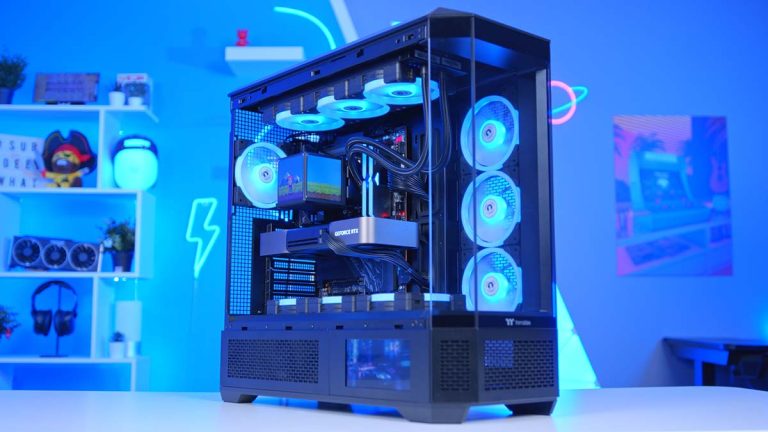
Best PC For Revit 2026 Official Specs Top Desktop A Futuristic Workstation Setup F 9f968ba4 D380 458b A015 3 . The Ultimate Gaming PC Build 2026 Guide By Xidax 1 Unnamed . Building A 4K Gaming PC Build For 2026 GeekaWhat FI DM82 TT MineCUBE Build 768x432 . Lenovo S Unique Take On Desktop PCs At CES 2026 Hardware Software Copertina 26208 . How To Build A PC Step By Step Beginner Guide In 2026 Pc Building Guide.webp



Best Gaming Desktops For 2026 Technobezz Technobezz 2026 03 11 T142543 296 09ffd22ab9 . How To Build A PC In 2026 Beginner S Step By Step Guide Gadget Grab How To Build A Pc Pc Building Guide . Gaming Desktop PC Guide 2026 Build The Ultimate Gaming Setup 2 2 3 . Gaming Desktop PC Guide 2026 Build The Ultimate Gaming Setup 83 360 936 16 . Top 10 Best Desktop Computers 2026 For Home Office And Work HP Omen 35L 2026 Workstation Desktop Computer For Intensive Work In Best Desktop

The 5 Best Intel Core CPUs For Desktop PC Builds In 2026 Reviewed Best Budget CPUs For Affordable Performance Gaming PC Build 1024x576 . The 5 Best Intel Core CPUs For Desktop PC Builds In 2026 Reviewed Best CPU For 4K Video Editing PC Build 1024x576 . 12 Best Desktop Computers For Small Business In 2026 Tested Reviewed Best Intel Core CPUs For Desktop PC Build . Best Desktop Computers For Home Use In 2026 Technobezz 2026 02 06 At 2 14 38 AM 7c0bace8e1 . Top 5 Best Desktop Computers Of 2026 Powerful Budget Picks YouTube




12 Best DDR5 RAM For Gaming In 2026 Tested Reviewed Best Business Desktop Computers . Best Budget Gaming PC Builds For 2026 500 800 Best Budget Gaming PC Builds For 2026.webp. Desktop PC Upgrade Guide 2026 Maximize Performance Save Money 3 1 3 . Budget Computer Price 2026 Gaming PC Build Desktop Price . Building An Enthusiast Grade PC Build For 2026 GeekaWhat FI DM87 HAVN BF RTX 5090 Build